When calling from command line (cmd.exe or Dispatch):
Example 1:
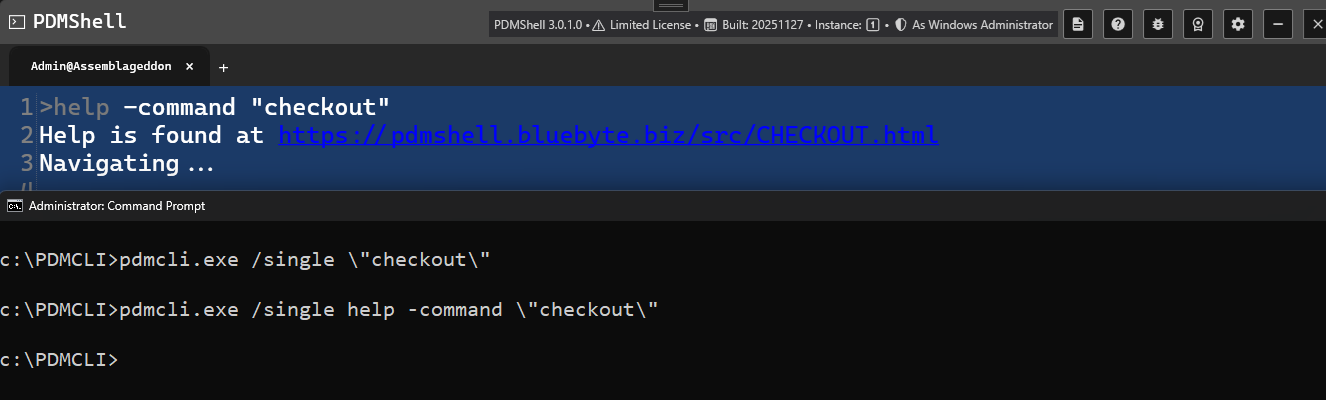
Using \" in cmd.exe will actually produce " in the PDMShell session:
pdmcli.exe /single help -command \"checkout\"
# This runs the command: help -command "checkout" (See above)
Example 2:
Using \\\"" in cmd.exe will actually produce \" in the PDMShell session command box which in turn gets evaluated as " once executed:

pdmcli.exe /single setvar -filePath membrane.sldprt -variableName Description -value \" 1 \\\"" 3\"
will produce:
# >setvar -filePath membrane.sldprt -variableName Description -value "1 \" 3"
# >@: Set Description to 1 " 3
# \" in PDMShell session evaluates to "
When calling from PDMShell regular session:
To escape ", use this \":
setvar -filePath membrane.sldprt -VariableName Description -value "3/1"
# @: Set Description to 3/1
setvar -filePath membrane.sldprt -VariableName Description -value "3/\"1"
# @: Set Description to 3/"1
# \" escape " in a regular session